Aitta Inference Service
Aitta is a machine learning inference service that allows you to interact with large open-weight models (i.e., models that are openly available for download e.g. from huggingface.co) directly on the LUMI Supercomputer hardware without dealing with any of the technical details. You just send your inference request to an OpenAI compatible API - Aitta takes care of allocating resources from the supercomputer scheduling system (Slurm), loading the model and forwarding the request to the designated compute node.
Aitta provides an API for programmatic access which allows you to develop or test applications that require inference as a service component. It also enables you to perform automated evaluation of a model you are interested in. Additionally, Aitta provides a web frontend with basic chat interfaces that you can use to interact with the models directly.
Aitta is currently available for all users with access to the LUMI supercomputer. You need a valid LUMI account with access to at least one active LUMI project.
What can I use it for?
Aitta is intended for research and development, including for example
- exploring capabilities of models,
- performing research that relies on models to generate or evaluate data, or
- building applications that rely on inference as a part of their functionality.
However, Aitta is entirely reliant on the LUMI supercomputer hardware and scheduler and thus there is no guarantee for availability of a particular model at any given time. In particular this means that Aitta is unsuited as a production-level inference service. You should not use it to deploy applications that require assured availability.
Currently Aitta includes generative Large Language Models (LLMs) and text embedding models. Image input is supported for LLMs with vision capability. Further multimodal capabilities are planned for the future.
Responsibility for model usage
The models available via the Aitta inference service are provided "as-is" without any additional safeguards or guarantees for correctness or availability. The user is always responsible for their use of the models and must ensure that their use falls under the Terms of Use and applicable law.
Web Frontend - Interactive chat usage
Visit the web frontend at aitta.csc.fi. Click the "Log In" button at the top to log in. Go through the usual CSC authentication flow, using either your Haka, MyAccessId/Puhuri or CSC account. After completing the authentication you will be asked to select one of your LUMI projects. Your session will be tied to this project. If you have only one LUMI project, you may not see the corresponding screen. Check the below steps for detailed instructions on how to use the web frontend.
Detailed instructions for the web frontend
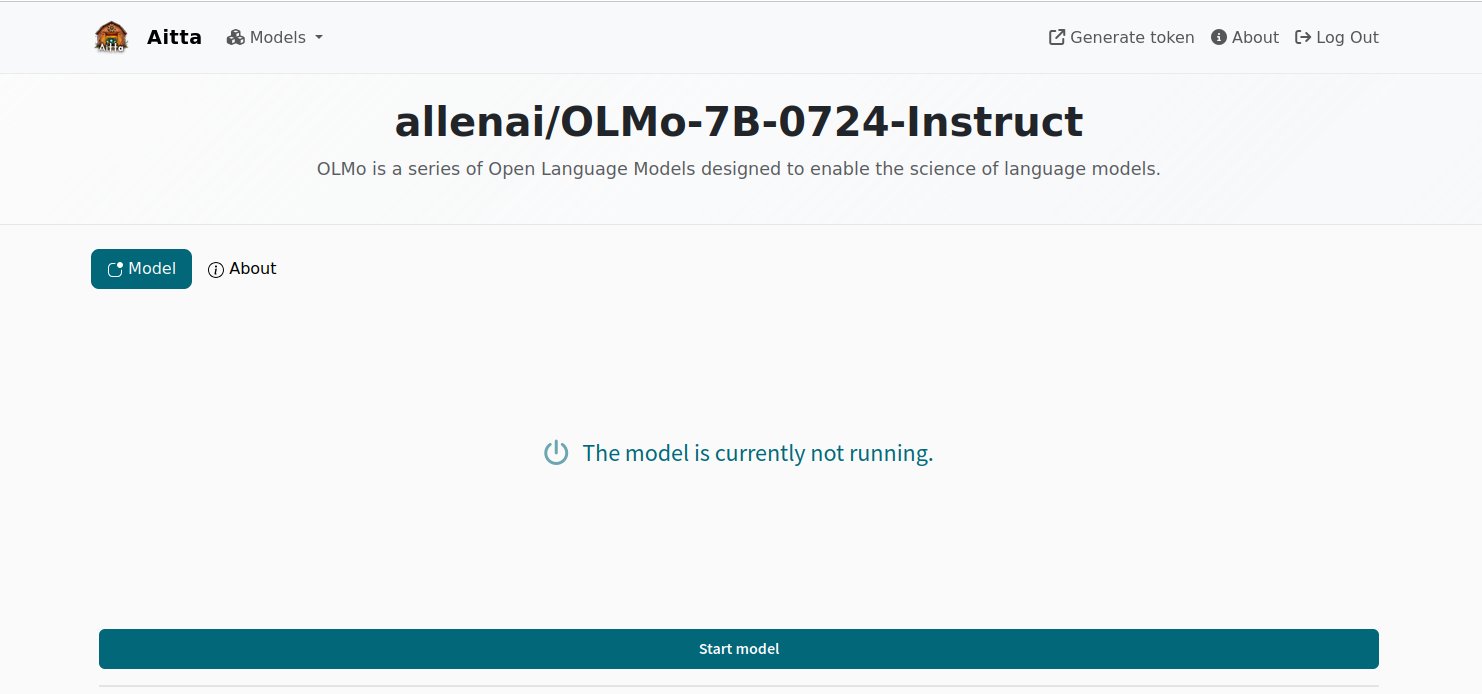
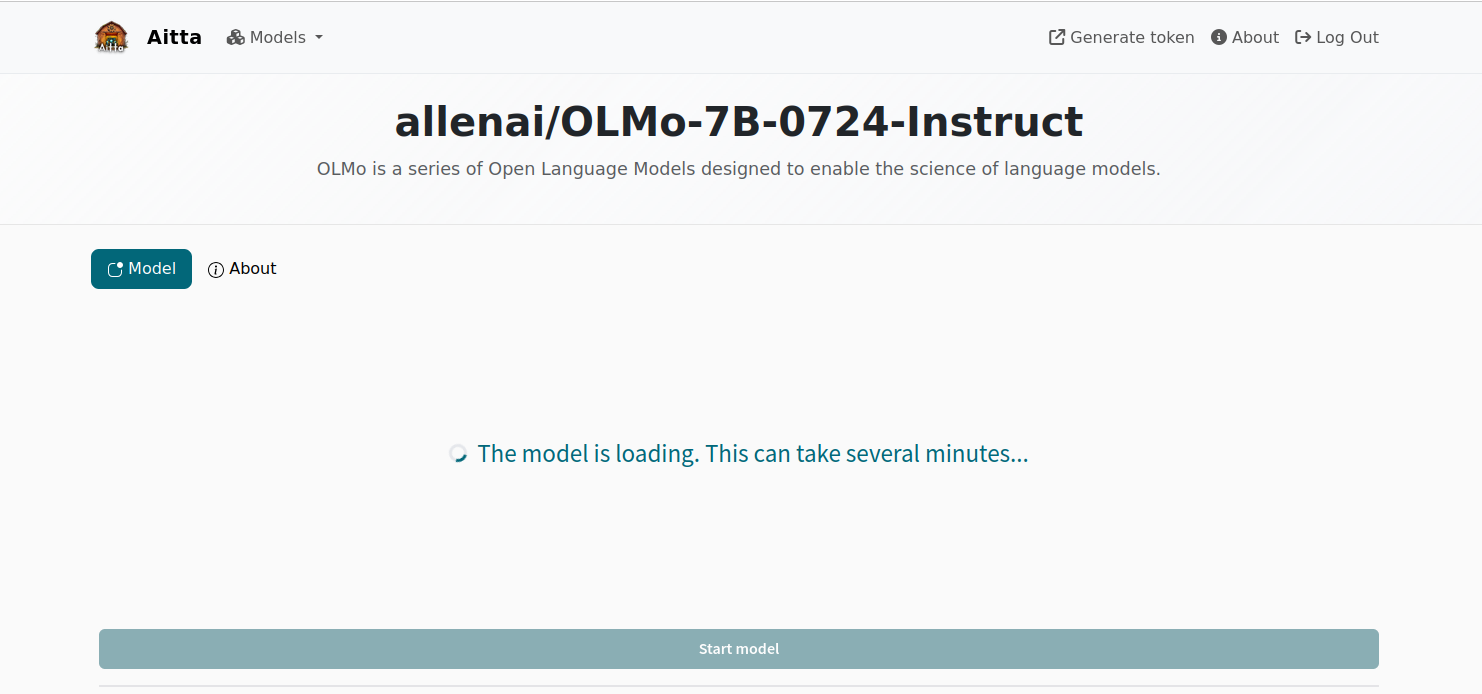
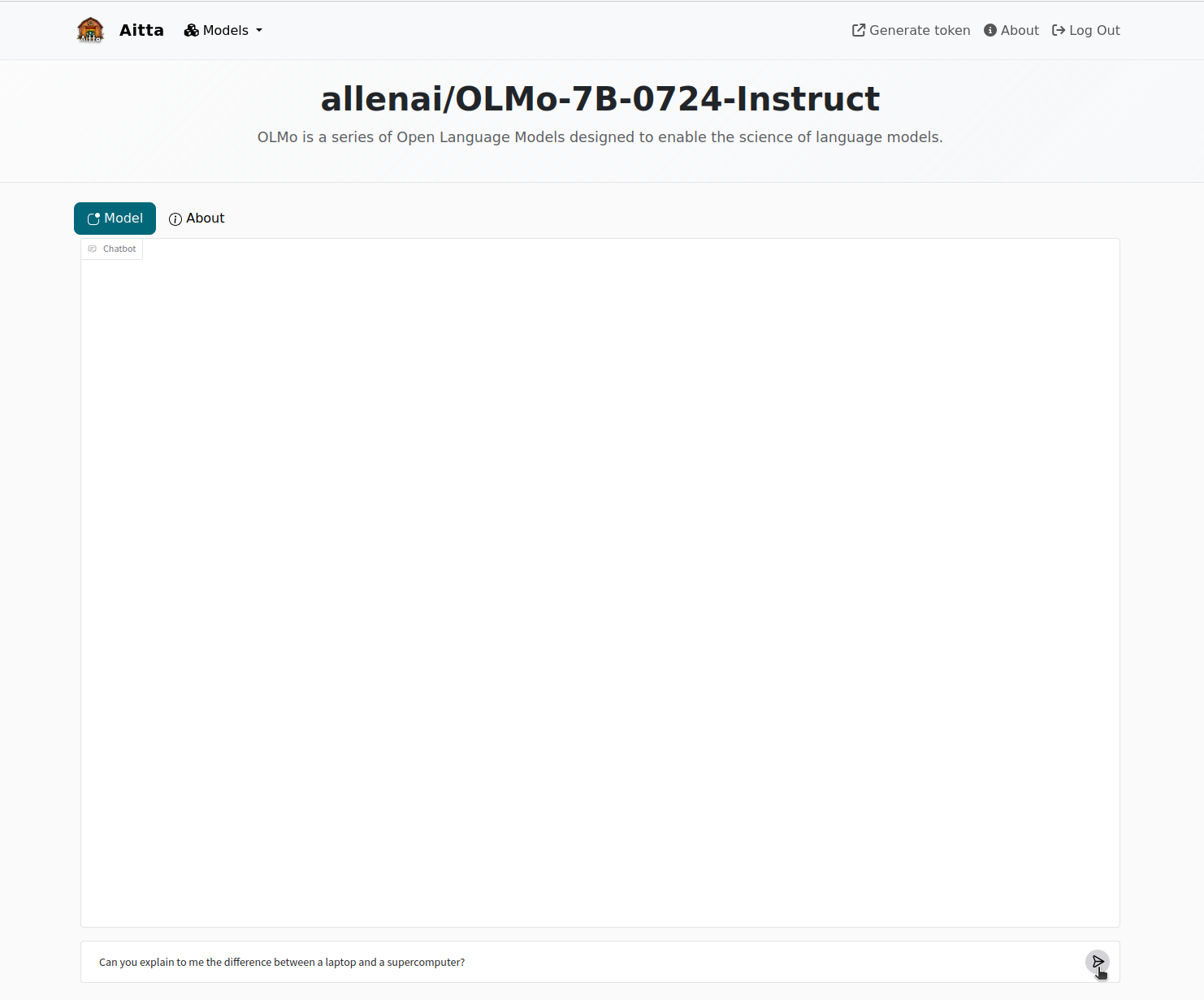
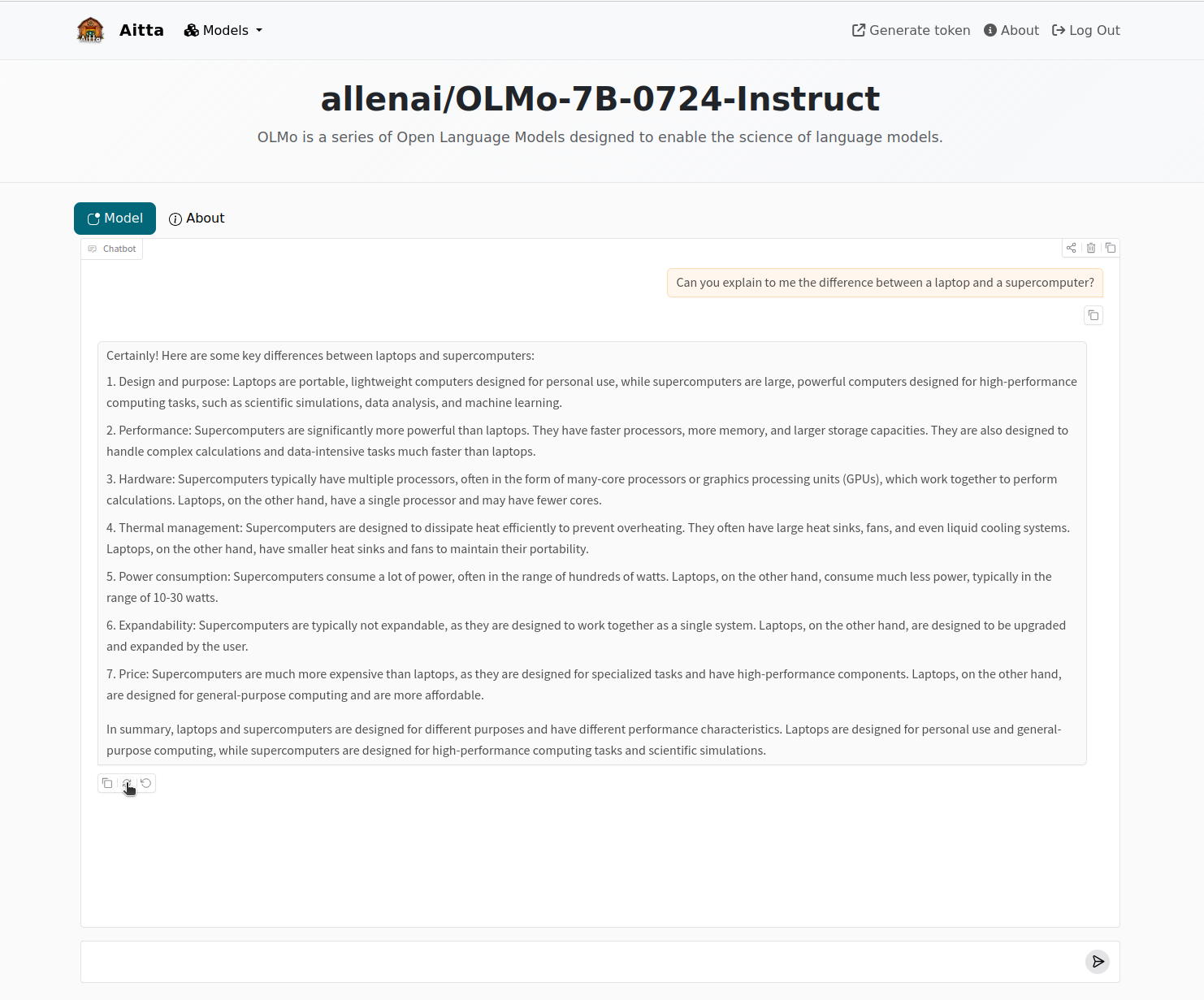
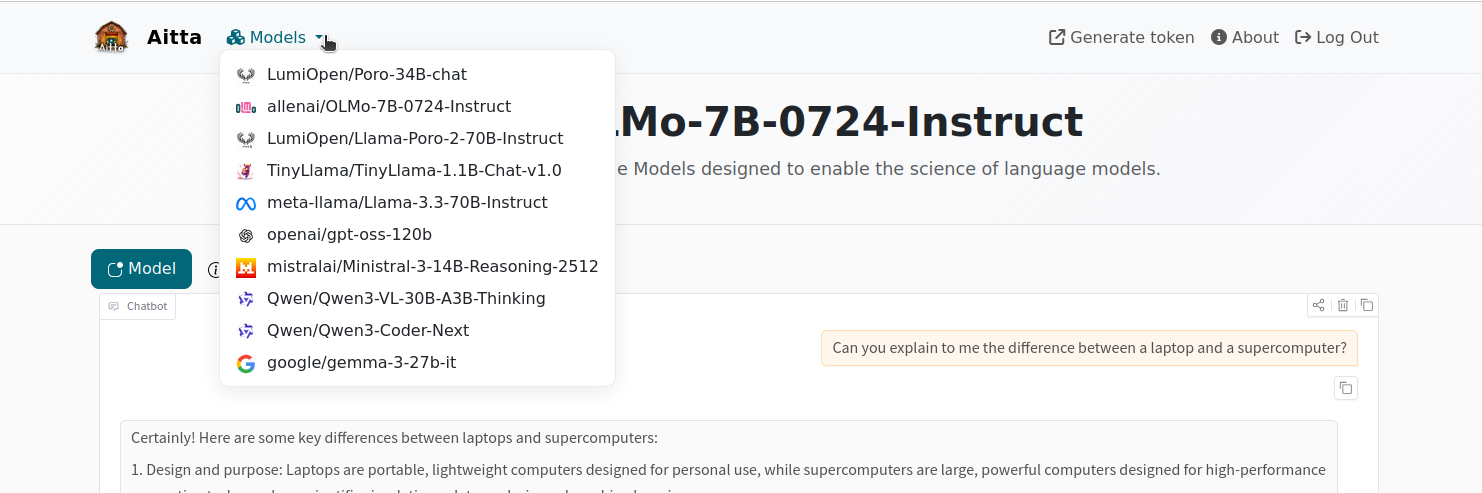
1. After you have logged in, you will see a page that shows the available models and whether they are currently online or not. If the model is online, it means that it is already loaded into GPU memory and ready to respond immediately. Starting a chat with a model marked as offline means you will have to wait a bit while the model is made ready to respond. Click on any model to open a chat view.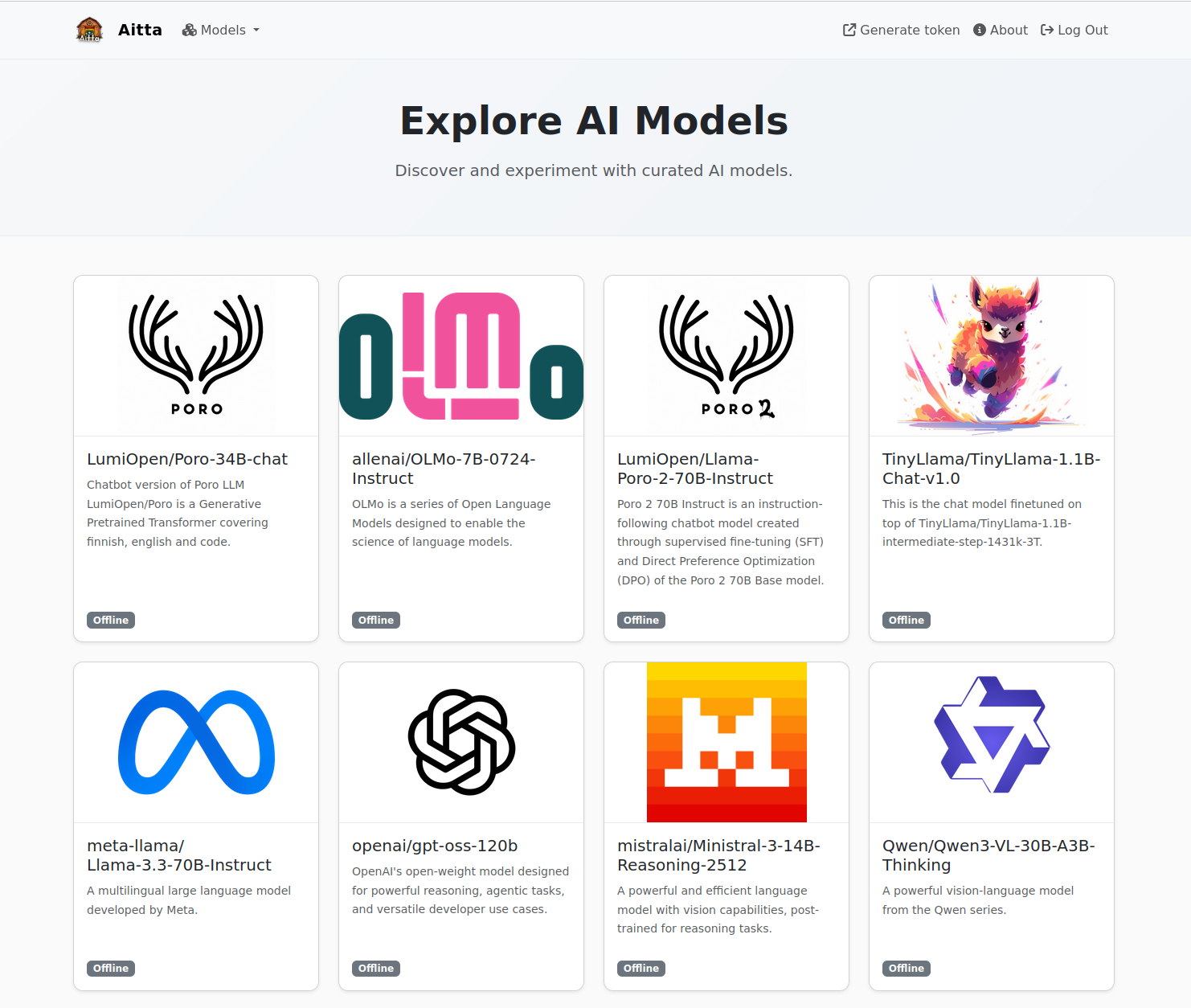
Limitations
The web frontend is only a basic chat interface with no additional features. The entire chat history is kept in your browser. If you leave the page, the conversation is deleted and can not be recovered. Furthermore, if the model becomes unavailable during the conversation, the frontend will return to show the message that the model is currently not running. This also results in the chat history being lost. While Aitta tries to ensure that a model is always running when you are actively using it, it can happen that the current allocation of resources expires before Aitta is able to obtain a new allocation.
The frontend also performs no automatic compaction of the history. If the length of the conversation exceeds the capabilities of the underlying model, it will stop responding and you may encounter an error message.
API - Programmatic access
Aside from the web frontend, Aitta offers a RESTful API for programmatic access via HTTP at aitta-api.csc.fi. You can use it either with existing clients and libraries you want to explore or to develop your own application requiring ML inference services.
Get your access token
To access the API you need to provide an access token to authenticate to the system. The token is provided via the HTTP Authorization header in each request:
You can obtain an access token from aitta-auth.csc.fi/myToken (or by following the "Generate token" link from the web frontend) if you have a valid LUMI computing project. This will immediately start a (new) login sequence with the authentication system for which you can use either your Haka, MyAccessId/Puhuri or CSC account. After completing the authentication you will be asked to select one of your LUMI projects. Your access token will be tied to this project. If you have only one LUMI project, you may not see the corresponding screen.
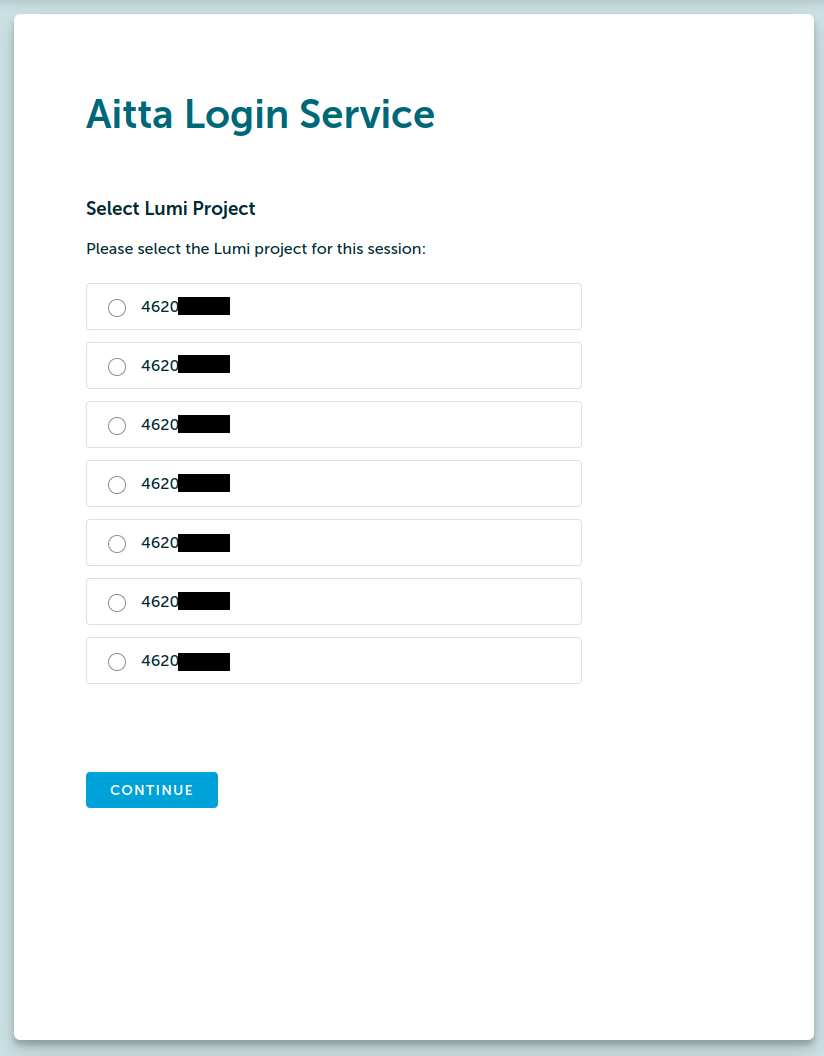
After choosing the project, the next screen will display your access token for Aitta. There is also a button to copy the access token to your clipboard as well as an example curl command with which you can try out the access token in your terminal to verify that it works.
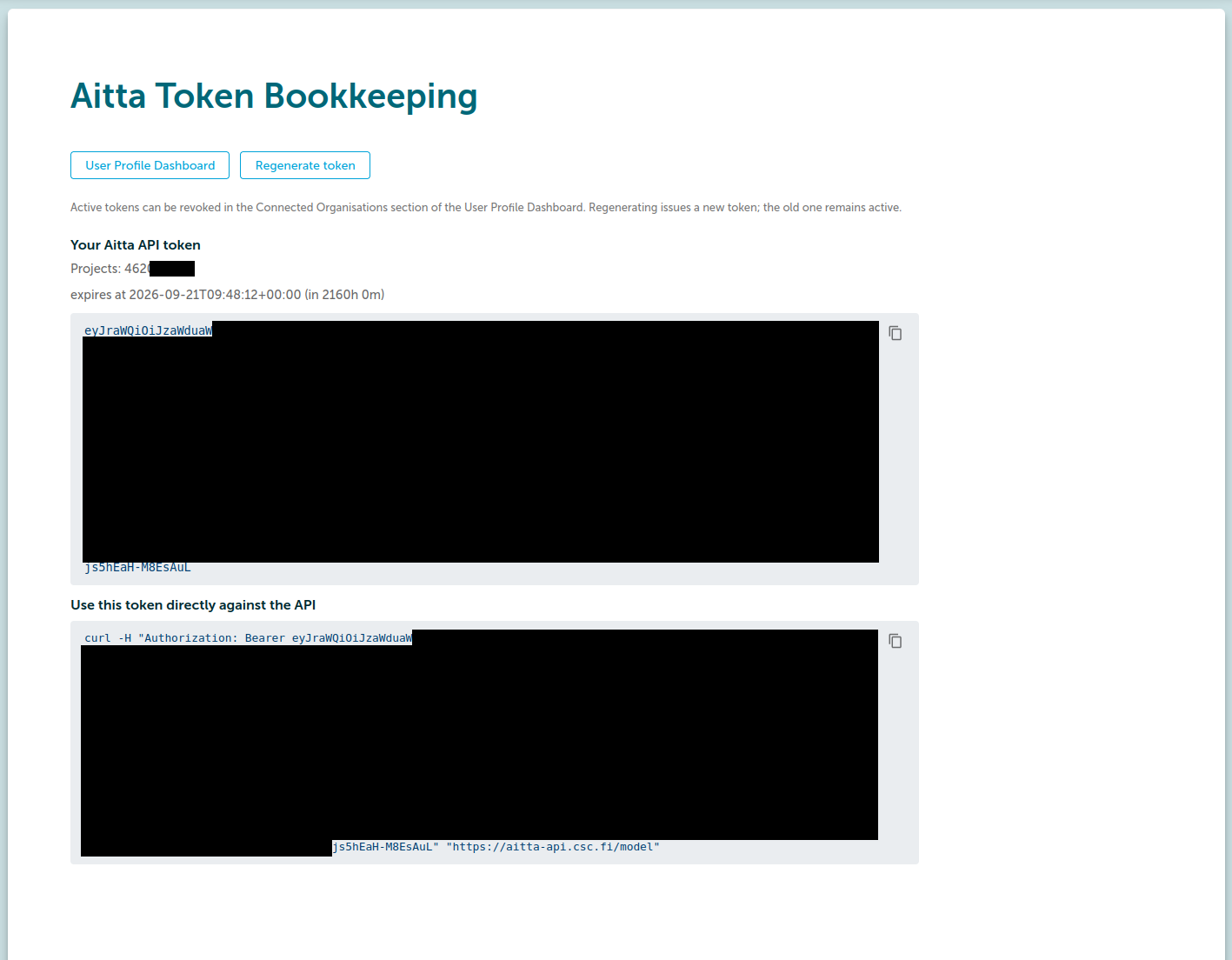
All access tokens are currently valid for 90 days to enable use in long-running client applications. However, the validity of the token ends early if the LUMI project it is tied to reaches its end date or your user account is closed.
Inference in Python
Aitta offers a drop-in replacement for an OpenAI-compatible API which is possible to use through various client libraries.
The vanilla OpenAI client
The official openai client can be used to interact with Aitta:
import openai

client = openai.OpenAI(
    api_key="< your token >",
    base_url="https://aitta-api.csc.fi/openai/v1"
)
chat_completion = client.chat.completions.create(
    messages=[ {
        "role": "user",
        "content": "Write a novel about Quantum Computing."
    } ],
    model="openai/gpt-oss-120b",
    stream=True
)
for chunk in chat_completion:
    if chunk.choices[0].delta.content is not None:
        print(chunk.choices[0].delta.content, end='', flush=True)
LangChain
LangChain is a popular library for creating LLM applications. Aitta can be used as an OpenAI-compatible endpoint as follows:
from langchain_openai import ChatOpenAI

llm = ChatOpenAI(
    api_key="< your token >",
    base_url="https://aitta-api.csc.fi/openai/v1",
    model="openai/gpt-oss-120b"
)
messages=[ {
    "role": "user",
    "content": "Write a novel about Quantum Computing."
} ]
llm.invoke(messages)
aitta-client
The PyPI package aitta-client contains functions for interacting with the non-OpenAI parts of the Aitta API (e.g. authentication, listing models and workers etc.). It is currently under development, but not required for running inference.
API reference
This section gives a broad overview of the available API functionality. To check a detailed reference for parameters and example usage, refer to the automated Swagger API reference at aitta-api.csc.fi/docs.
Responses from the Aitta API are typically JSON objects following the Hypertext Application Language (HAL) specification, which in every response includes URLs to further endpoints relevant to the requested resource. This allows you to write client code that follows the URLs linked from the responses based on semantic names for resource endpoints instead of hardcoding URLs in your code.
OpenAI compatible inference
The Aitta API offers OpenAI API compatible endpoints with a base url of https://aitta-api.csc.fi/openai/v1. Currently endpoints for chat completion and embedding inference requests are implemented. Refer to the corresponding OpenAI API specification for available parameters.
aitta-api.csc.fi/openai/v1/embeddings: OpenAI Embeddings Request Specificationaitta-api.csc.fi/openai/v1/chat/completions: OpenAI Completions Request Specification
Note that these endpoints do not include HAL resource links as that would be incompatible with the OpenAI API.
The inference endpoints transparently handle loading of the model when it is not already running. However, this means that in your first request you might experience some delay until the model is ready to respond. Following requests to the same model will then receive responses more quickly.
Note that the API will not send a response until the model is ready, so if for some reason a model is not loaded quickly, your request might appear to be stuck. See also the Section Capacity limits further below.
Model information
The API exposes details about available models. You can get a list of available models from the aitta-api.csc.fi/model endpoint. The JSON object contains a field with a list of model ids paired with a URL to retrieve more detailed information about each model. Model ids generally follow the format model-vendor/model-name as on e.g. Huggingface. Model information links currently replace the / with a ~ for technical reasons, so to get information about a model, you would need to query aitta-api.csc.fi/model/model-vendor~model-name. Expand the following listing to see an example response:
Model list response example
{
  "_links": {
    "item": [
      {
        "href": "/model/LumiOpen~Llama-Poro-2-70B-Instruct",
        "name": "LumiOpen/Llama-Poro-2-70B-Instruct"
      },
      {
        "href": "/model/openai~gpt-oss-120b",
        "name": "openai/gpt-oss-120b"
      }
    ],
    "self": {
      "href": "/model",
      "name": "self",
      "title": "This link refers back to the resource itself."
    }
  }
}
The response of the model information endpoint is a JSON object containing a description of the model as well as a list of the model's capabilities, indicating which inference endpoints are supported for the model. It also includes a list of URLs relevant to the model, including e.g. the OpenAI compatible inference endpoints the model supports as well as the URL of the endpoint listing currently active workers for the model. Expand the following listing to see an example response for the openai/gpt-oss-120b model:
Model information response example
{
  "id": "openai/gpt-oss-120b",
  "description": "OpenAI's open-weight model designed for powerful reasoning, agentic tasks, and versatile developer use cases. This variant is recommended for production, general purpose, high reasoning use cases that fit into a single 80GB GPU (like NVIDIA H100 or AMD MI300X) (117B parameters with 5.1B active parameters).",
  "capabilities": [
    "openai-chat-completion"
  ],
  "_links": {
    "openai-chat-completion": {
      "href": "/openai/v1/chat/completions",
      "name": "openai-chat-completion",
      "title": "An OpenAI compatible endpoint for generating chat completions. See https://platform.openai.com/docs/api-reference/chat/create for usage. Currently not all features are supported."
    },
    "self": {
      "href": "/model/openai~gpt-oss-120b",
      "name": "self",
      "title": "Refer back to the resource itself."
    },
    "collection": {
      "href": "/model",
      "name": "collection",
      "title": "Obtain a list of all models served by the API."
    },
    "preload": {
      "href": "/model/openai~gpt-oss-120b/preload",
      "name": "preload",
      "title": "Request starting a model worker so that upcoming inference requests can be handled immediately.",
      "method": "POST"
    },
    "openai": {
      "href": "/openai/v1",
      "name": "openai",
      "title": "Base URL for OpenAI compatible endpoints. Currently not all endpoints or features are supported."
    },
    "metadata": {
      "href": "/model/openai~gpt-oss-120b/metadata",
      "name": "metadata",
      "title": "Model metadata as stored in the database"
    },
    "worker": {
      "href": "/worker/openai~gpt-oss-120b",
      "name": "worker",
      "title": "Obtain a list of all workers hosting the model."
    }
  }
}
Worker information
The /worker endpoint can be used to query which workers (inference engine instances serving a particular model) are currently running. This can be used by your application e.g. to inform the user about possible delays when a worker needs to be started, or to dynamically pick a currently running model to avoid the delay.
Worker list response example
{
  "_links": {
    "self": {
      "href": "/worker",
      "name": "self",
      "title": "This link refers back to the resource itself.",
      "method": "GET"
    },
    "item": [
      {
        "href": "/worker/openai~gpt-oss-120b/PKA0",
        "name": "openai/gpt-oss-120b-PKA0",
        "title": null,
        "method": "GET"
      },
      {
        "href": "/worker/Qwen~Qwen3-Coder-Next/u31z",
        "name": "Qwen/Qwen3-Coder-Next-u31z",
        "title": null,
        "method": "GET"
      }
    ]
  },
  "_embedded": {
    "workers": [
      {
        "id": "openai/gpt-oss-120b-PKA0",
        "model": "openai/gpt-oss-120b",
        "status": "running",
        "_links": {
          "self": {
            "href": "/worker/openai~gpt-oss-120b/PKA0",
            "name": "self",
            "title": "This link refers back to the resource itself.",
            "method": "GET"
          },
          "collection": {
            "href": "/worker/openai~gpt-oss-120b",
            "name": "collection",
            "title": "Link to the collection of workers for the model.",
            "method": "GET"
          },
          "model": {
            "href": "/model/openai~gpt-oss-120b",
            "name": "model",
            "title": "Link to the model served by this worker.",
            "method": "GET"
          }
        }
      },
      {
        "id": "Qwen/Qwen3-Coder-Next-u31z",
        "model": "Qwen/Qwen3-Coder-Next",
        "status": "requested",
        "_links": {
          "self": {
            "href": "/worker/Qwen~Qwen3-Coder-Next/u31z",
            "name": "self",
            "title": "This link refers back to the resource itself.",
            "method": "GET"
          },
          "collection": {
            "href": "/worker/Qwen~Qwen3-Coder-Next",
            "name": "collection",
            "title": "Link to the collection of workers for the model.",
            "method": "GET"
          },
          "model": {
            "href": "/model/Qwen~Qwen3-Coder-Next",
            "name": "model",
            "title": "Link to the model served by this worker.",
            "method": "GET"
          }
        }
      }
    ]
  }
}
Maintenance downtime information
The /status endpoint returns information about Aitta availability: either "OK" or information about a maintenance break. Open the box to see some examples.
Example status responses
-
Everything okay
-
Unscheduled incident
-
Scheduled downtime
The /downtimes endpoint returns information about all known current and upcoming scheduled maintenance breaks.
Rate limits
The amount of requests sent per minute by an individual user is limited. In case the API returns the status code 429 Too many requests, you can resume the usage after a minute. There are currently no longer-term limits.
Capacity limits
Aitta's capacity for running models is currently limited to 2 LUMI-G nodes, i.e., 16 GCDs in total. If the number of models requested by all users exceeds that capacity, some of the models will not become available before a previous model is stopped - on a first-come-first-served basis.
If you send an inference request to a model that was not already online and it cannot be loaded due to missing capacity, the Aitta API might appear to be stuck or you might get a timeout error from your client. In that case it is best to switch to a model that is already running, which you can determine e.g. using the worker information endpoint.
For the same reason it is also not recommended to rapidly switch between models or send small request to many different models at once.
Changelog
2026-08-25
General
- Authentication is now possible via MyAccessId/Puhuri in addition to Haka and CSC user accounts.
- Internal improvements in monitoring, error reporting, etc., which will result in improved reliability and better error response.
API
- The
/statusendpoint now returns a JSON response even if everything is fine (when it would previously just return "OK") and tries to obtain the current system status from LUMI Status API to correctly signal that Aitta is unavailable during any LUMI downtime. - The
/worker(and/worker/<model_id>) endpoint now embeds the status information for each worker instead of only providing a list of links to get more details on each worker. - The
/model/<model-id>listing contains an additionalpreloadlink which can be used to request a model to be loaded ahead of sending a request.
Frontend
- The main page now shows correct status for models that are loading or have failed to start.
- The
User Guidelink on the frontend now links to the guide in LUMI docs. - The
Generate tokenlink is now available on the frontend homepage, so if you only need a token for the API, you do not need to log in to the frontend anymore.